
Assign Subscription
Assign a subscription when someone buys a plan from you in person, or when you want to add them yourself.
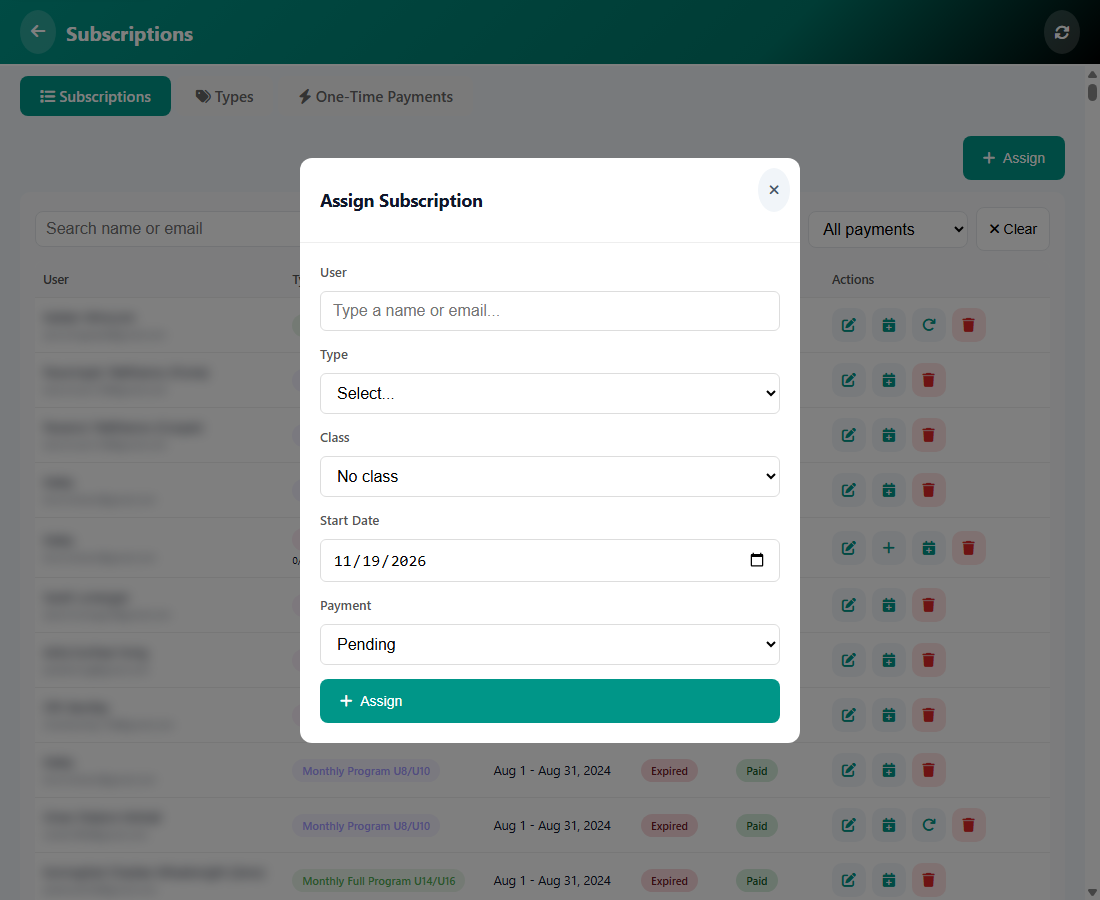
How to assign
- Open Manage, then Subscriptions, and tap Assign.
- In User, start typing a name or an email and pick the person.
- Choose the Type (the plan). Choose a Class if the plan is for one class.
- Set the Start Date.
- Set Payment, for example Pending or Paid, then tap Assign.
Tip: Choose Pending if the person has not paid yet. You can mark it as paid later from the same list.
Was this article helpful?