Booking Rules
Booking Rules are switches. Each one changes what coaches, teachers or customers are allowed to do. They are all off or on by sensible defaults, so change only what you need.
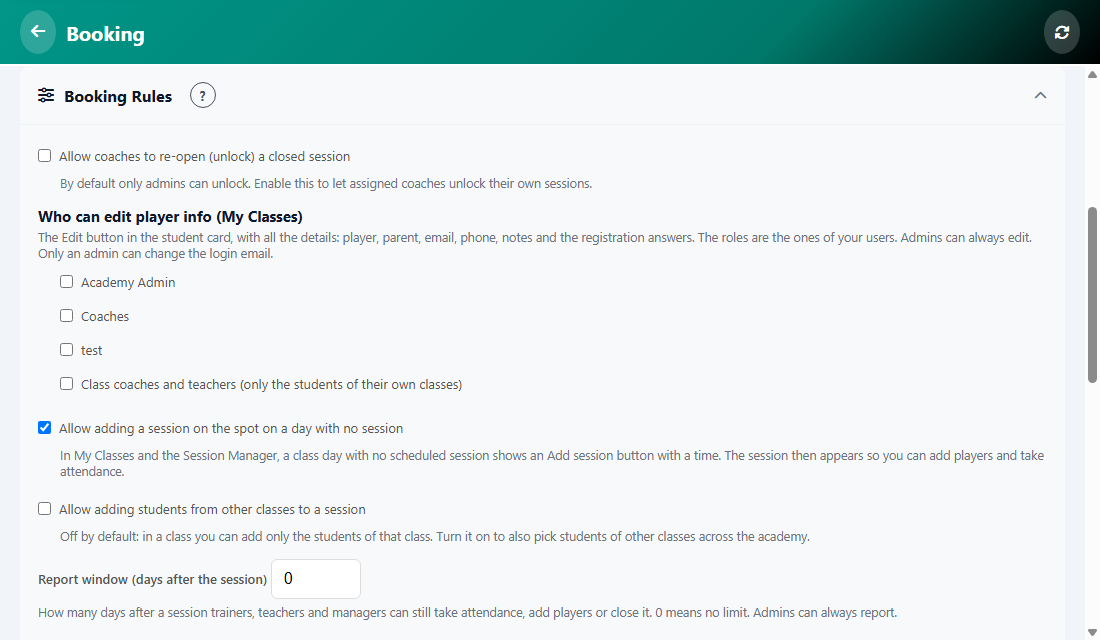
The rules
- Allow coaches to re-open (unlock) a closed session. By default only admins can.
- Who can edit player info (My Classes). Tick the roles that get the Edit button on the student card. Admins can always edit. Only an admin can change the login email.
- Allow adding a session on the spot on a day with no session, so you can add players and take attendance.
- Allow adding students from other classes to a session. Off by default: a class can add only its own students.
- Report window (days after the session). How long after a session trainers, teachers and managers can still take attendance, add players or close it. 0 means no limit. Admins can always report.
- Allow teachers to move a student to another class.
- Allow customers to cancel bookings, with the minimum hours before the appointment.
- Allow guest booking (without login).
- Require admin approval for bookings.
- Show remaining capacity to customers.
Tap Save Settings at the bottom after you change a rule.
Was this article helpful?