Payment Settings (booking)
Turn on only the ways you really accept money. Customers see the methods you enable when they pay.
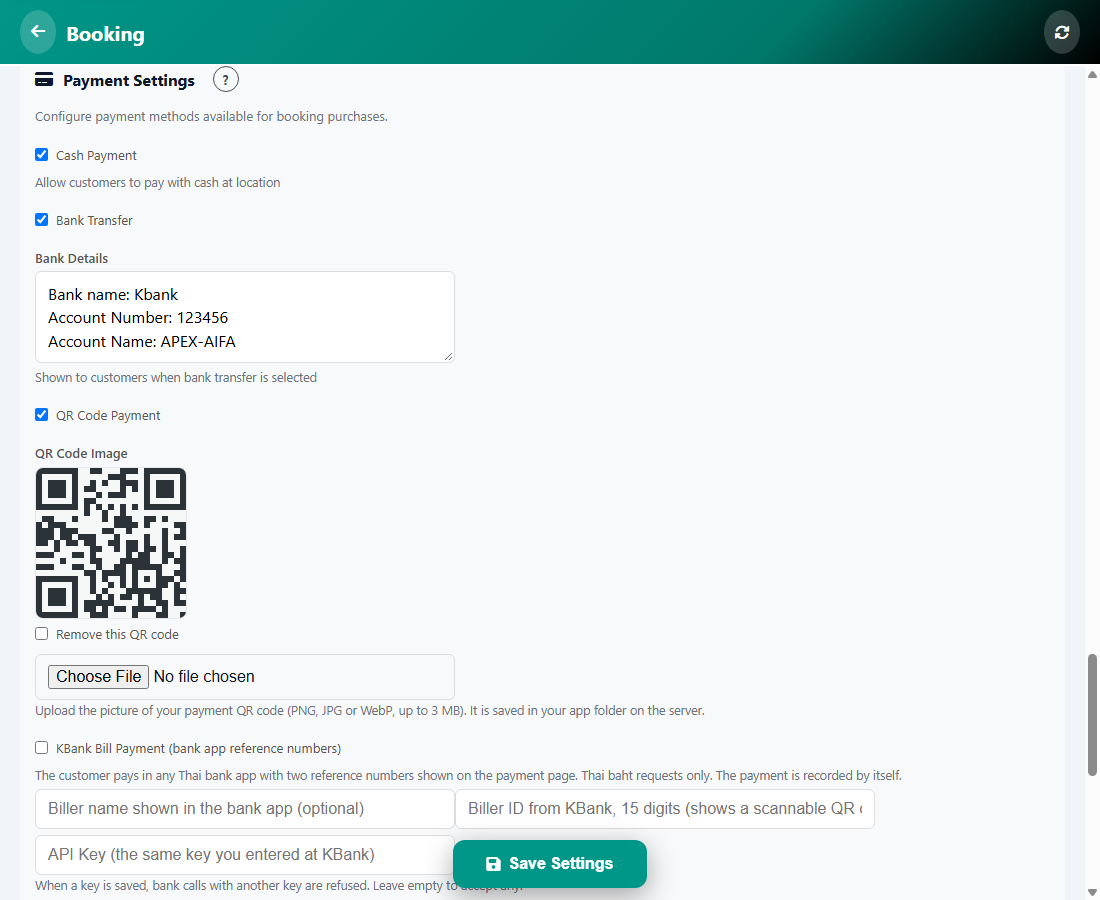
Payment methods
- Cash Payment: customers pay in cash at your location.
- Bank Transfer: type your bank details. They are shown to the customer when this method is chosen.
- QR Code Payment: upload the picture of your payment QR code (PNG, JPG or WebP, up to 3 MB).
- KBank Bill Payment: the customer pays in any Thai bank app with two reference numbers. Thai baht requests only. The payment is recorded by itself.
- Alipay and WeChat Pay (Antom): turn on the wallets you want to accept.
- KBank QR Payment and other methods shown on the card.
Tap Save when you are done.
Was this article helpful?