
Profile Menu Links
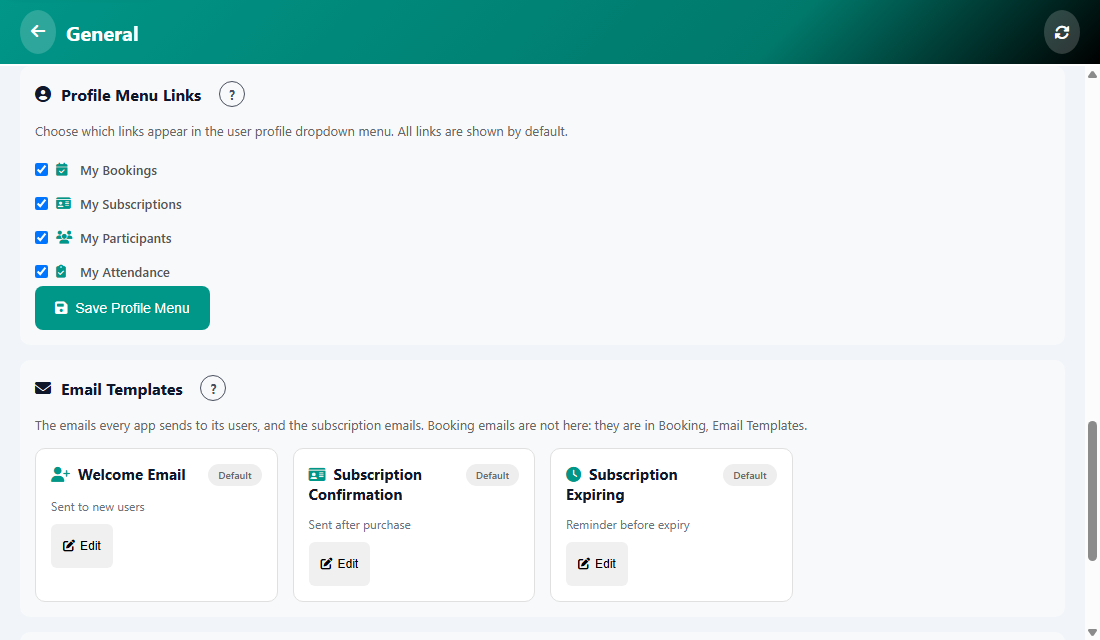
When a user taps their avatar, a menu opens. Here you choose which links appear in it. All links are shown by default.
How to change it
- Open Manage, then General.
- Find Profile Menu Links and untick the links you do not want, for example My Subscriptions.
- Tap Save Profile Menu.
Was this article helpful?